All Presets
Every preset in one searchable list.
- Instant search
- Surprise Me
- Undo last preset
- Preview thumbnails
One After Effects panel for typography, easing, AI background removal and 120+ motion presets, right inside your composition.
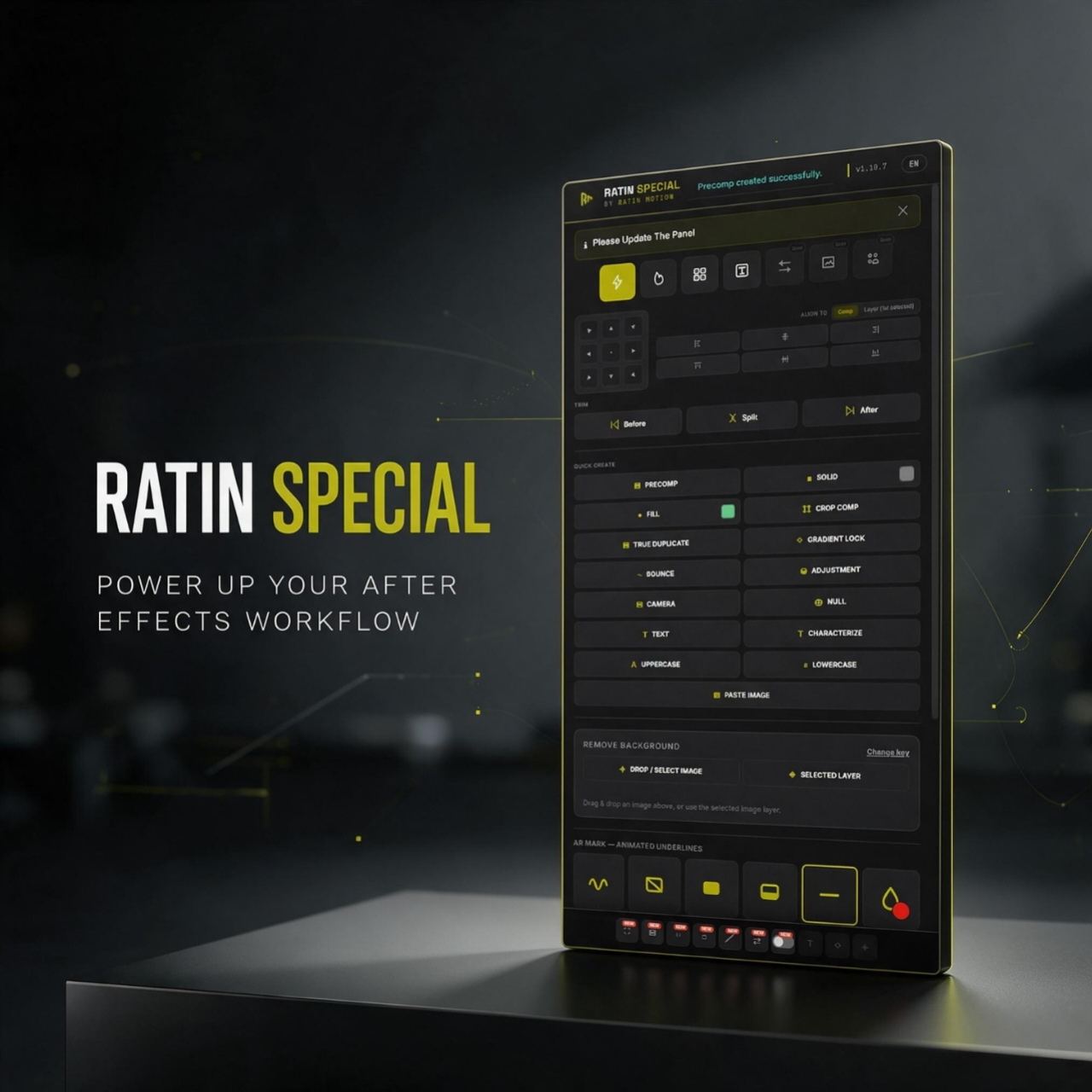
Everything you need, inside one panel
Ten tabs, one panel, all inside After Effects. Here is what each tab gives you.
Every preset in one searchable list.
The everyday layer tools, one click each.
Ready-made viral looks, applied in one click.
Animate text by letter, word or line without hand-keyframing.
Drop-in transitions to cut between clips.
An interactive curve editor with instant easing presets.
Motion tools made for SaaS and app-style videos.
Capture a website in Chrome and rebuild it in After Effects.
Auto captions from your audio, styled your way.
Drop animated icons straight into your comp.
The whole panel switches between English and বাংলা with one tap.
Browse the shelf, add what you like to your cart, then check out. One payment, lifetime license.
 Sale
SalePay once and use it forever. No monthly fees.
Loading reviews…
This is how Ratin Special looks inside After Effects. Click around, then pick a colour in the panel and watch this page follow.
Drag & drop an image above, or use the selected image layer.
Comp 1 · work area 29.38s · 1 layer(s) selected
Snap moves each caption to the real start and end of the voice. If all captions are still early or late, use Timing shift (+ later, - earlier).
385 fonts found on this PC. Click ↻ after installing a new font.
For Bangla, type a Bangla font name here, otherwise letters may show as boxes.
Click a look (or pick any preset from the dropdown) to put it on every caption. Click it again to remove it. Only one look at a time.
Pick a Crazy Text animation for every caption (choose "No animation" to remove it). It goes on in small steps with short pauses, so it stays smooth on a slow PC. Press Stop to end early.
https://example.com/landingSelect ONE Text layer (a fresh empty layer works best), then tap Build. This wires the counter controls straight onto the layer — no preset file needed.
Get updates, support and announcements in the Ratin Special WhatsApp group.
Ratin Special works with After Effects 2023, 2024 and 2025+ on both Windows and macOS.
Yes. You pay once and keep access for good. There are no monthly fees.
Send the payment with bKash or Nagad, then enter your TrxID at checkout. We review the order and your key appears in My account.
Each license works on 1 device at a time. If you change computers, message us on WhatsApp and we'll re-bind your key.